Set up their space
A parent creates an account and adds a child profile, choosing the grade and curriculum that fit their school.
Bring a lesson. Talk through a doubt. Explore an interest. HYSKOOL uses lesson context and saved learning history to guide what comes next.
Sign in or create a parent account, then open a lesson. Speak or type — both work.
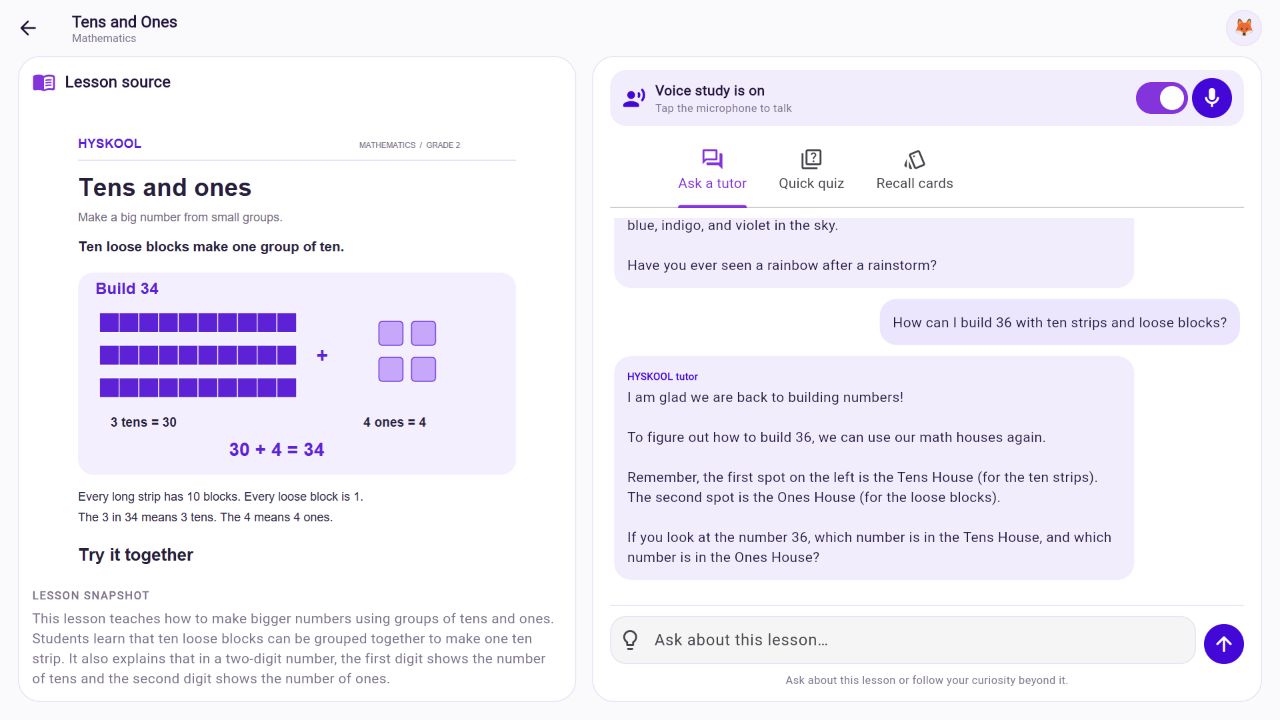
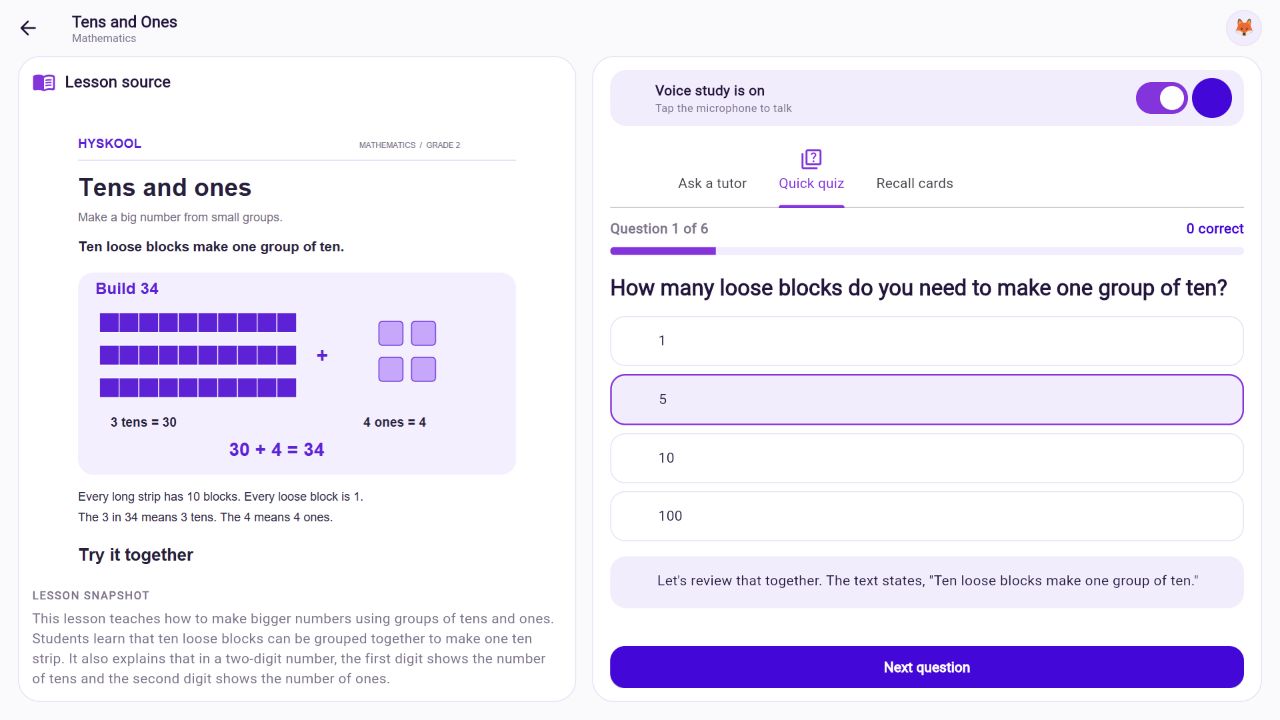
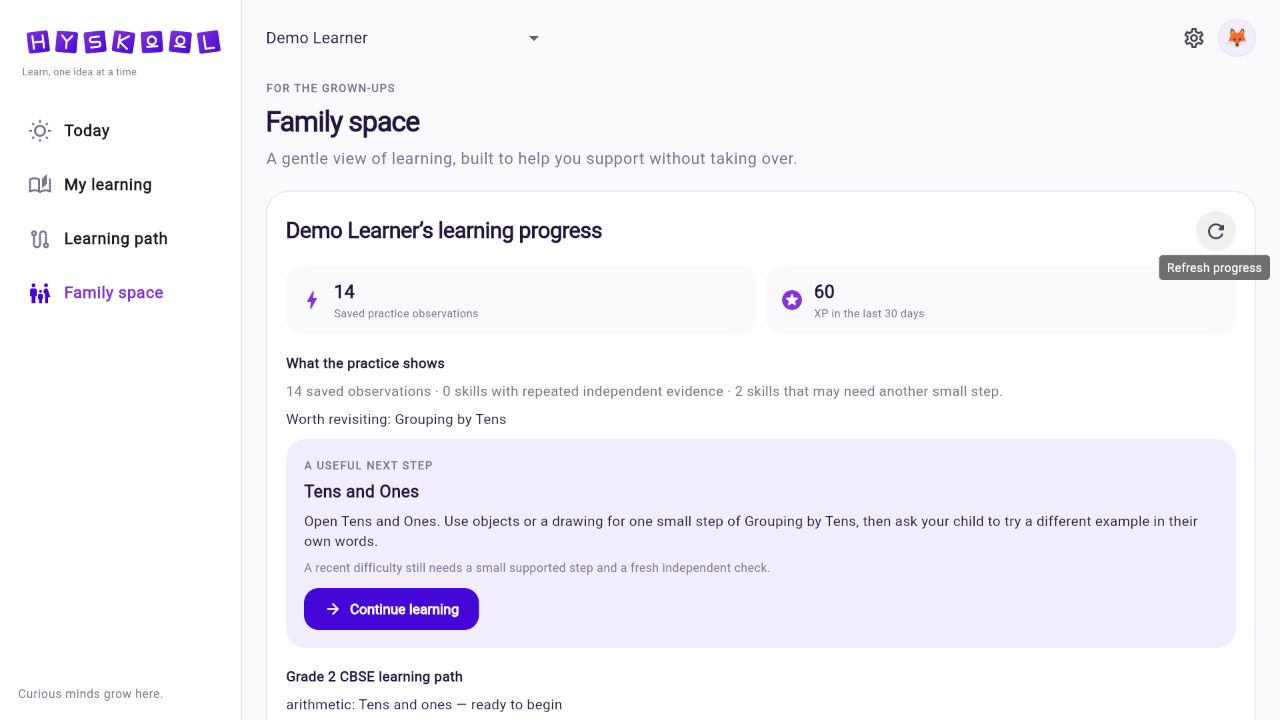
Actual prototype screens, using original demo materials and a demonstration learner.
A learner mentions badminton. HYSKOOL connects their interest to the lesson's jersey numbers, then builds a number riddle from their answer. See that connection happen in the actual product.
“I like playing badminton.”
The tutor acknowledges the sport and makes room for the learner's choice of topic.
It links sports and numbers to the lesson's player wearing jersey 17, then asks which number the learner would choose.
The learner chooses 7. The tutor introduces a one-digit-number riddle, and responds when the learner answers 9.
LearnerI like playing badminton.
HYSKOOLSports actually have a lot of fun numbers in them, like keeping score to see who wins.
HYSKOOLIf you had your very own special badminton shirt, what number would you want on the back?
LearnerNumber seven.
HYSKOOLSince you picked 7, which is a one-digit number, let me ask you a quick riddle about that:
HYSKOOLI am the largest one-digit number. Who am I?
LearnerIt's number nine.
HYSKOOLYou got it! 9 is exactly right. It is the last number before you reach 10!
Selected excerpts from the supplied recording. The tutor also gives a hint before the answer; this is an example of supported practice.
There is room to change direction—and to stop. In the full recorded conversation, the learner asks to wrap up. The tutor acknowledges the request with a wrap-up and goodbye.
Start with something they are learning today. HYSKOOL brings the source, the conversation and the practice into one study room.
A parent creates an account and adds a child profile, choosing the grade and curriculum that fit their school.
Upload a PDF, a photo of schoolwork or text notes. HYSKOOL prepares the source for tutoring, quizzes and recall cards.
Open the study room, keep the lesson in view, and ask a question. Explain it aloud, try an example or practise a little more.
Built to move from “I don't get it” to another way of seeing it, with room to return and try again.
Ask follow-up questions, answer a question back or explore a new curiosity. The tutor builds on what you have been discussing and brings in the lesson when it helps.
Talk through a doubt and listen to the explanation. Pause, interrupt or use the chat box whenever that feels easier.
Check understanding with questions focused on the uploaded material. Read or hear feedback that explains the answer.
Revisit important ideas from the lesson in a smaller format. Take a moment to remember before revealing the explanation.
Return to saved conversations and learning observations across sessions. HYSKOOL can use that evidence to choose a next step. Needing a hint and answering independently count differently.
See what has been practised, where support was needed and a practical activity to try next in Family space.
The lesson and ongoing conversation give the tutor context. The learner can choose the kind of support they need.
Ask for a different example or a concrete way to picture the idea.
Get a next step while keeping space to work through the problem.
Request a fresh practice question and explain your thinking before seeing help.
Saved conversations and practice observations remain available across sessions. HYSKOOL can use relevant earlier discussion and evidence of help needed to guide another explanation or a next challenge.
A hint, an independent explanation and a request to revisit an idea provide different evidence. One right answer is a useful moment—not proof that a skill is mastered.
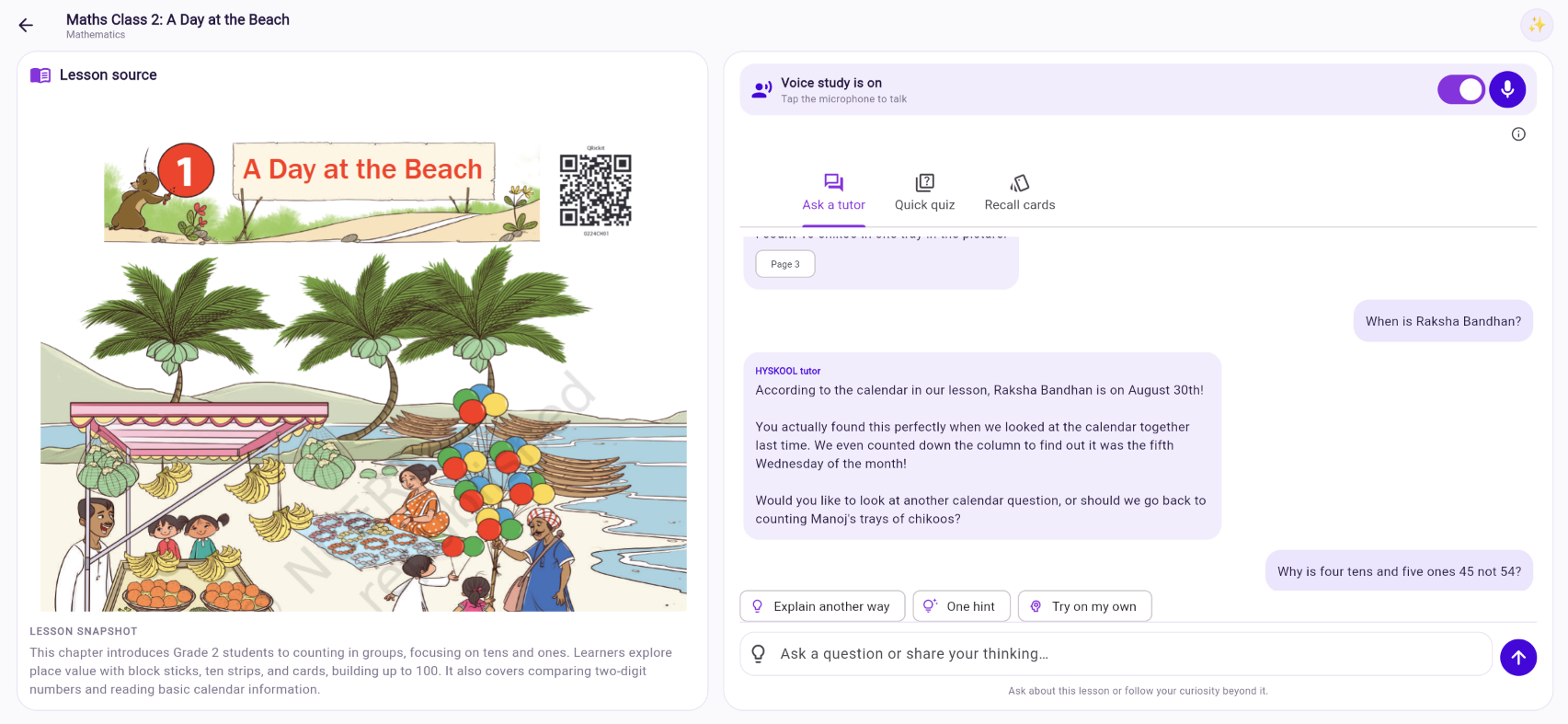
Earlier questions and explanations
Skills attempted and support used
Revisit, explain differently or try again
Family space turns practice into a more useful picture: what they have worked on, what needed support and what could help next.
Use your own materials now. Alongside them, we are building a structured learning path with lessons reviewed before publication.
Tutoring, quizzes and recall cards work from uploaded schoolwork. The initial reviewed learning path starts with Grade 2 CBSE.
Profile options include CBSE, ICSE and Common Core. Available published lessons depend on the selected grade and curriculum.
A growing sequence of reviewed lessons, more curriculum coverage and teaching that responds to evidence over time.
Broader coverage and learning outcomes are still being evaluated. We do not treat one right answer as proof of mastery.
Our ambition is a learning companion that gets to know how a child learns over time, helps them reason through difficult ideas and makes it easier for the adults around them to help.
We are starting with everyday schoolwork, thoughtful conversations and small, useful next steps. HYSKOOL is a product of SPOOLER LABS PRIVATE LIMITED.
Get in touchParents manage child profiles, school details and access to their family's materials and saved learning history. Account access controls separate one family's records from another's.
Family space includes learner-record export and child-profile removal controls. AI services process lesson content and voice input to provide the requested features. Review the data information in the app before uploading personal material.
For privacy and data requests, contact support@hyskool.com.
HYSKOOL is an AI learning companion for schoolwork, made by SPOOLER LABS PRIVATE LIMITED. It combines a voice and text tutor, quizzes and recall cards based on uploaded lessons, saved learning conversations and progress information for parents. Its official website is hyskool.com, and its app is at app.hyskool.com. The current prototype is available for adult-operated demonstrations and feedback.
It opens the current HYSKOOL app. Sign in or choose “Create account.” For a new account, confirm your email, add a child profile with their grade and curriculum, then upload material and open its study room. If you are already signed in, the app opens your workspace.
No. You can type questions, read replies and use quizzes or recall cards without speaking. To use voice in a lesson, turn on voice study and tap the microphone. Your browser will request microphone permission.
Voice is available in the prototype, including spoken replies and interruption. Response times vary and can include a noticeable wait; we are still improving them. Text chat remains available throughout.
Yes. Ask a tutor can discuss suitable questions beyond the material and continue a conversation when the topic changes. Quick quiz and recall cards remain focused on the source you uploaded.
You choose your child's grade and curriculum during setup. Profile options include CBSE, ICSE and Common Core, with Kindergarten through Grade 12. This does not mean a complete reviewed curriculum is available for each option. Our initial published learning path focuses on Grade 2 CBSE; broader coverage is being built.
Saved conversations remain available across sessions. Practice observations record skills attempted, help needed and independent responses. The tutor can use relevant earlier discussion and that evidence to choose another explanation or challenge. See the learning memory example above. One correct answer does not establish mastery.
No. HYSKOOL is a study companion that supports the people already helping a child learn. It can explain, give hints, demonstrate and ask questions. AI can make mistakes, so important explanations and progress observations deserve adult review.
The current preview is intended for adult-operated demonstrations and feedback from parents and educators. A broader child pilot is still being prepared. Paid plans and final pricing have not been announced. This website does not take payments or collect newsletter sign-ups.
Open the prototype, explore the study room and help shape what HYSKOOL becomes.
Parent sign-in or registration comes first. Your microphone starts only when you choose.